Windows 8.1 was released on October 17, 2013; Windows 8.1 is a free upgrade for anyone running Windows 8. This update addresses many of the problems users have had with Windows 8 and also adds a Start button. Here including Available of 137 different languages. ▬ Computer safety Tips, Rules & Health
- Win key + “C” = Open your Charms
- Win key + “Z” = Way to your commands for an application
- Win key + “Tab” = Change to your last application
- Ctrl key + “+” = Zoom in
- Ctrl key + “-” = Zoom out
- Ctrl key + “T” = Show the first application in your taskbar
- Win key + “E” = Run Explorer on your Desktop
- Win key + “R” = Execute Run on Desktop
- Win key + “X” = Open Power User Commands on Desktop
- Win key + “Tab” = Change to your last application
- Win key + “B” = Go to first item in System Tray
- Win key + “U” = Open Ease of Access Center
- Win key + “P” = Projector or second screen settings.
- Alt key + F4” = Quit the current Modern/Metro App
- Alt key + Up Arrow ” = Upper Level (Windows Explorer)
- Alt key + Right Arrow” = Forward (Windows Explorer)
- Alt key + Left Arrow ” = Back (Windows Explorer)
- Alt key + Print Screen ” = Capture the Screen of Current/Selected windows
- Ctrl key + Shift + Esc ” = Open Task Manager
windows 10 tips keyboard shortcuts

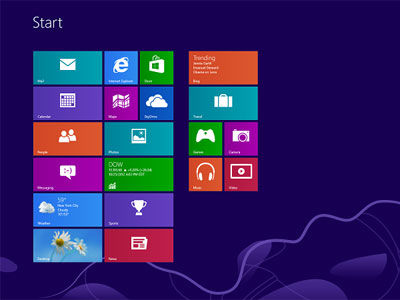
Most popular future in Windows 8: (Computer Technology)
• Press the Windows key to enter the tiled Start screen.
• The Windows key + M minimizes everything that’s showing on the desktop.
• The Windows key + E opens Explorer for quick access to folders.
• On the Start screen, press the Windows key + D to instantly get to the desktop.
• The Windows key + Tab open a list of currently running programs.
• The Windows key + Print Screen takes a screenshot and saves it in a Screenshots folder nested in your Pictures folder.
• To take a screenshot on a Windows 8 tablet, simultaneously press the Windows button and the volume-down button on the tablet chassis.
• The Windows key + Q open a global search menu. Type what you’re looking for and where you would like to look.
• The Windows key + W opens a search in your system settings to quickly locate and change system properties.
• The Windows key + F open a file and folder search. See more Best Laptop Brands
One Mouse Two Computers
Reference:
To activate the system with Windows 8, Windows 8, many are now interested in this top, and the market bought the CD or download from the Internet using the setup CD is ekatibhitara it is not so, or do not have the CD it gives the CD key, however, is now Windows 8’s ekatibhisana not find the key, it means the market is arajinala 8 was released, so we do not paitechi arajinala T, the default can be used to buy for us not so much the price, so we need to make use of this tutorial. And so now I’ll share with you a small ekatibhitara, whose size only (alone 58 M. B) like.
For more information about Windows 8:
http://www.microsoft.com/enable/training/windows8/