Make the most of your Apple camera apps by tapping into their powerful features. Swipe left for quick access to different modes, use the timer for perfect shots, and experiment with manual controls. Leverage Live Photos for dynamic moments and explore third-party apps for advanced editing.

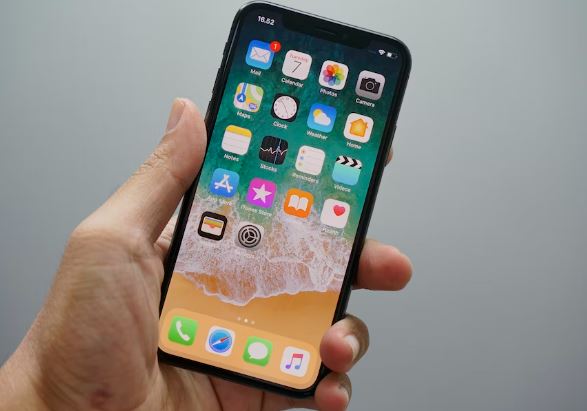
Top 10 Camera Apps
1. Camera+ 2
Versatile Camera Experience: Camera+ 2 enhances your photography with manual controls, RAW shooting, and advanced editing tools. Smile Mode and Slow Shutter cater to both amateur and professional photographers.
- Manual controls for precise customization
- RAW shooting capability
- Smile Mode and Slow Shutter for creative shots
- Intuitive interface suitable for all photographers
- App Link: Camera+ 2 – App Store
2. ProCamera
Exceptional Image Quality: ProCamera stands out with HDR and LowLight+ modes, providing exceptional image quality. Comprehensive manual controls, live histograms, and focus peaking empower users for precision photography.
- HDR and LowLight+ modes for exceptional image quality
- Comprehensive manual controls and live histograms
- Precision-focused design for stunning photos
- App Link: ProCamera – App Store
3. Halide Mark II
Intuitive Gesture-Based Interface: Halide Mark II is known for its intuitive controls and advanced features. It supports RAW capture and features a unique Smart RAW mode for optimal image quality. The app’s simplicity and quality make it a favorite among photography enthusiasts.
- Supports RAW capture with Smart RAW mode
- Intuitive gesture-based interface
- Emphasis on simplicity and quality
- App Link: Halide Mark II – App Store
4. VSCO
Creative Platform: VSCO is more than just a camera app; it’s a creative platform. With an elegant interface, it offers advanced camera controls, a vast array of filters, and editing tools. Seamless integration with the VSCO community fosters a culture of visual expression.
- Elegant interface and creative platform
- Advanced camera controls and diverse filters
- Seamless integration with the VSCO community
- App Link: VSCO – App Store
5. Moment Pro Camera
Professional-Grade Features: Moment Pro Camera is designed for mobile photographers seeking professional-grade features. It provides manual controls for focus, exposure, and white balance. The app’s Anamorphic and Flat color profiles cater to filmmakers.
- Manual controls for focus, exposure, and white balance
- Anamorphic and Flat color profiles for filmmakers
- Designed for mobile photographers
- App Link: Moment Pro Camera – App Store
6. Obscura 3
Powerful and User-Friendly: Obscura 3 combines powerful features with a user-friendly interface. With a gesture-based control system, users can easily access manual settings like exposure and focus. Impressive filters and a built-in photo library make it a one-stop solution for capturing and managing images.
- Powerful features with a user-friendly interface
- Gesture-based control system for easy access to manual settings
- Impressive filters and a built-in photo library
- App Link: Obscura 3 – App Store
7. Adobe Lightroom
Editing Powerhouse: Adobe Lightroom is not just an editing powerhouse; its camera module is equally impressive. With features like HDR, DNG capture, and RAW editing, it seamlessly integrates photo capture and editing in one app. The app’s Creative Cloud sync ensures a seamless workflow across devices.
- Camera module alongside robust editing features
- HDR, DNG capture, and RAW editing for optimal image quality
- Seamless integration with Creative Cloud
- App Link: Adobe Lightroom – App Store
8. FiLMiC Pro
Go-To App for Videographers: FiLMiC Pro offers advanced manual controls for video recording. Features like focus pulling and white balance adjustment empower users to create cinematic videos on their mobile devices. The app’s interface is designed for efficiency and precision in filmmaking.
- Advanced manual controls for video recording
- Focus pulling and white balance adjustment features
- Efficient and precise interface for filmmaking
- App Link: FiLMiC Pro – App Store
9. Slow Shutter Cam
Specializes in Long-Exposure Photography: Slow Shutter Cam is designed for capturing stunning light trails and motion blur through long-exposure photography. Features like light trail and low light modes cater to photographers seeking creative and artistic results.
- Specializes in long-exposure photography
- Features like light trail and low light modes
- Suitable for creative and artistic results
- App Link: Slow Shutter Cam – App Store
10. ProShot
Comprehensive Camera App: ProShot combines photo and video capabilities in one comprehensive app. It offers manual controls, adjustable aspect ratios, and 4K video recording. The DSLR-like interface provides users with a familiar shooting experience.
- Combines photo and video capabilities
- Manual controls and adjustable aspect ratios
- 4K video recording capability
- App Link: ProShot – App Store
Using Apple Camera Apps:
- Quick Modes Access: Swipe left to switch between photo, video, and other modes effortlessly.
- Timer Function: Ensure steady shots by utilizing the timer feature, especially for group photos or selfies.
- Manual Controls: Experiment with manual settings for exposure, focus, and white balance adjustments.
- Live Photos: Capture more than a static image with Live Photos, bringing your pictures to life.
- Third-Party Apps: Explore third-party camera apps for additional features and advanced editing tools.
Camera Apps Tips: Enhance your photography experience with Apple camera apps by implementing these handy tips. Utilize burst mode for action shots, leverage HDR for balanced exposures, and tap to focus on specific subjects. Enable gridlines for better composition, and experiment with different lighting conditions for diverse effects.
- Burst Mode: Capture fast-paced action by holding down the shutter button for burst mode.
- HDR Mode: Ensure well-balanced exposures in high-contrast scenes by activating HDR mode.
- Tap to Focus: Achieve sharp focus on specific subjects by tapping on the screen before capturing.
- Gridlines: Improve composition by enabling gridlines to align your shots using the rule of thirds.
- Lighting Experimentation: Play with different lighting conditions to create unique and visually appealing effects.
What to Do, What to Don’t: Master the art of iPhone photography with a few dos and don’ts. Do clean your camera lens regularly for clear shots, experiment with framing and angles, and explore various shooting modes. Don’t rely solely on zoom; instead, physically get closer for better quality. Avoid excessive editing; strive for natural and authentic images.
- Clean Lens: Regularly clean your camera lens to ensure clear and sharp photographs.
- Experiment with Framing: Play with different angles and framing techniques for more engaging compositions.
- Explore Shooting Modes: Take advantage of various shooting modes to adapt to different scenarios.
- Avoid Zoom Overuse: Instead of relying heavily on digital zoom, physically move closer to your subject for better image quality.
- Limit Editing: Resist the urge to over-edit; aim for natural and authentic photos to maintain the integrity of your shots.