Best 10 Android Apps for Video Editing
Optimize your Android video editing experience on Windows with these tips. Master touchpad or mouse controls for precision, experiment with app-specific features, and utilize keyboard shortcuts. Leverage online tutorials for app insights, and ensure your Windows system meets the app’s requirements for smooth functionality.

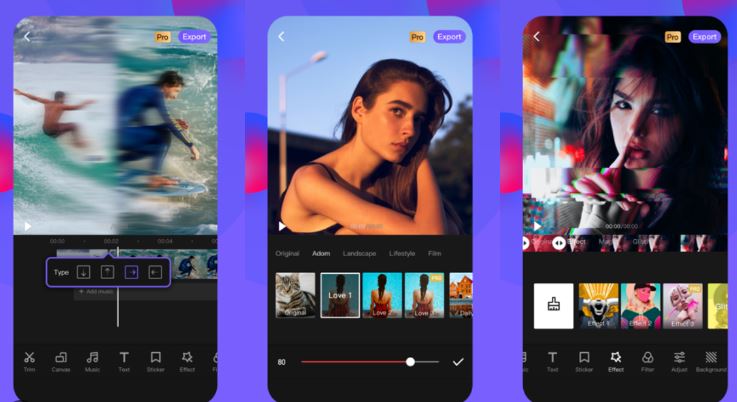
1. Adobe Premiere Rush
All-in-One Editing: Adobe Premiere Rush is an Android app that provides an all-in-one solution for video editing. It offers intuitive editing tools, customizable motion graphics, and seamless integration with Adobe Creative Cloud.
- All-in-one video editing solution
- Intuitive editing tools
- Customizable motion graphics
- Seamless integration with Adobe Creative Cloud
- App Link: Adobe Premiere Rush – Google Play
2. Kinemaster
Professional Features on Mobile: Kinemaster is a feature-rich Android video editing app with professional-grade capabilities. It supports multiple layers of video, precise editing controls, and real-time audio and video effects.
- Professional-grade features on mobile
- Supports multiple layers of video
- Precise editing controls
- Real-time audio and video effects
- App Link: Kinemaster – Google Play
3. FilmoraGo
User-Friendly Mobile Editing: FilmoraGo is a user-friendly Android video editing app with a variety of creative tools. It offers themes, transitions, and easy sharing options, making it ideal for on-the-go editing.
- User-friendly mobile video editing
- Themes and transitions for creative projects
- Easy sharing options
- App Link: FilmoraGo – Google Play
4. PowerDirector
Feature-Packed Editing: PowerDirector is an Android video editing app with a comprehensive set of features. It includes timeline video editing, slow-motion effects, and advanced editing tools for creating professional-quality videos.
- Comprehensive feature set for video editing
- Timeline video editing
- Slow-motion effects
- App Link: PowerDirector – Google Play
5. InShot
Simple and Powerful: InShot is a straightforward yet powerful Android video editing app. It offers basic editing tools, filters, and effects, making it easy for users to create engaging videos for social media platforms.
- Simple and easy-to-use interface
- Basic editing tools, filters, and effects
- Ideal for creating videos for social media
- App Link: InShot – Google Play
6. VideoShow
All-in-One Editor: VideoShow is an Android app that serves as an all-in-one video editor. It features a user-friendly interface, various editing tools, and the ability to add music and subtitles to videos.
- All-in-one video editing solution
- User-friendly interface
- Music and subtitle adding capabilities
- App Link: VideoShow – Google Play
7. VivaVideo
Creative Editing Tools: VivaVideo is known for its creative editing tools and effects. It offers features like video collage, slideshow maker, and various video editing options to enhance your video projects.
- Creative editing tools and effects
- Video collage and slideshow maker
- Various video editing options
- App Link: VivaVideo – Google Play
8. Quik
Automatic Editing: Quik is an Android video editing app that automatically analyzes your footage to create stunning videos. It offers customization options, music syncing, and the ability to add text and highlights to your videos.
- Automatic video editing with customization options
- Music syncing and text adding capabilities
- App Link: Quik – Google Play
9. Funimate
Music Video Editor: Funimate is a music video editor for Android with a focus on creating entertaining videos. It offers a range of effects, transitions, and music syncing features to add flair to your video projects.
- Music video editor with entertaining features
- Effects, transitions, and music syncing capabilities
- App Link: Funimate – Google Play
10. Magisto
Automatic Video Editing: Magisto is an Android app that automatically turns your videos and photos into polished movies. It uses AI to analyze and edit your footage, providing a quick and easy way to create shareable videos.
- Automatic video editing with AI analysis
- Turns videos and photos into polished movies
- App Link: Magisto – Google Play
Using Top Android Apps for Video Editing : Experience the versatility of Android video editing apps on your Windows computer by utilizing emulators. Install your preferred app, import media seamlessly, and explore advanced features. Leverage emulator settings for optimal performance and maintain compatibility with the Android environment.
- Emulator Installation: Install a reliable Android emulator on your Windows computer.
- App Installation: Download and install your preferred Android video editing app within the emulator.
- Seamless Media Import: Import media files seamlessly from your computer to the Android emulator.
- Advanced Feature Exploration: Explore advanced editing features offered by the Android app within the emulator environment.
- Optimal Emulator Settings: Adjust emulator settings for optimal performance and compatibility with your Windows system.
Android Video Editing Apps Tips:
- Mouse/Touchpad Precision: Master mouse or touchpad controls for precise editing, mimicking the touch experience on Android devices.
- App-Specific Feature Experimentation: Explore and experiment with unique features specific to the Android video editing app you’re using.
- Keyboard Shortcut Utilization: Use keyboard shortcuts to enhance your editing speed and efficiency within the Android emulator.
- Tutorial Insights: Explore online tutorials to gain insights into advanced features and techniques offered by the Android app.
- System Requirements Check: Ensure your Windows system meets the app’s requirements for optimal performance and functionality.
What to Do, What to Don’t:
Navigate Android video editing on your Windows computer effectively with these dos and don’ts. Do organize your files, save your work regularly, and explore app updates for new features. Don’t overlook system requirements, ignore tutorials, or forget to customize settings for a seamless experience.
- File Organization: Keep your media files organized to streamline the editing process within the Android app on your Windows computer.
- Regular Work Saving: Save your work frequently to prevent data loss and maintain project continuity.
- App Update Exploration: Regularly check for app updates to access new features and improvements.
- System Requirements Awareness: Ensure your Windows system meets the Android video editing app’s requirements for optimal performance.
- Tutorial and Help Utilization: Don’t hesitate to explore tutorials and seek help for efficient use of the Android video editing app within the Windows environment.