









Loading tools... Please wait.
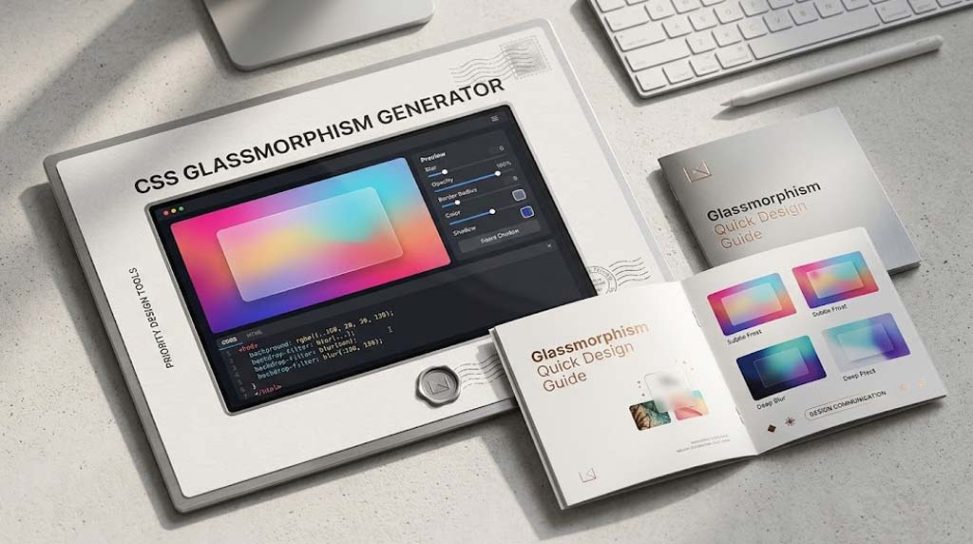
Modern websites increasingly use soft transparency, blurred backgrounds, layered cards, and subtle borders to create a clean and premium visual experience. One of the most popular styles based on these ideas is glassmorphism. A CSS Glassmorphism Background Generator makes it easier for designers and developers to create this visual effect without manually writing every CSS property from scratch.
What Is Glassmorphism?
Glassmorphism is a user interface design style that creates the appearance of translucent glass placed over a colorful or blurred background. Typical designs use transparency, background blur, light borders, soft shadows, and layered elements.
The style became particularly popular in modern web and application interfaces because it can create depth while keeping the interface visually lightweight. You can learn more about the broader concept of glassmorphism on Wikipedia.
What Is a CSS Glassmorphism Background Generator?
A CSS Glassmorphism Background Generator is an online tool that helps users create glass-style backgrounds and interface elements using CSS. Instead of remembering the syntax for transparency, blur, borders, shadows, and other effects, users can experiment with visual settings and generate usable CSS code.
This approach is useful for beginners who are learning CSS and experienced developers who want to create a design prototype quickly.
Key Features of Glassmorphism Design
- Transparent Backgrounds: Creates a semi-transparent surface that allows the background to remain partially visible.
- Backdrop Blur: Softens the content behind a glass-style element.
- Subtle Borders: Adds definition around transparent cards and containers.
- Soft Shadows: Creates separation between layers.
- Rounded Corners: Gives cards a smooth and modern appearance.
- Layered Design: Creates depth by placing translucent components over colorful backgrounds.
How CSS Creates the Glass Effect
Glassmorphism can be created with a combination of CSS properties. One of the most important properties is backdrop-filter, which can apply effects such as blur to the area behind an element.
A basic glass-style component may combine properties such as background, backdrop-filter, border, border-radius, and box-shadow. The exact values can be adjusted depending on the design and background.
Understanding Backdrop Blur
The blur effect is one of the defining characteristics of many glassmorphism interfaces. Unlike simply applying a blur filter to the element itself, backdrop-filter can affect the content behind a partially transparent element.
This creates the impression that the foreground component is made from frosted glass. Developers should test this effect across supported browsers because rendering and feature support can vary.
Glassmorphism vs Traditional Flat Design
| Design Approach | Visual Characteristics | Typical Use |
|---|---|---|
| Flat Design | Simple colors and minimal depth | Clean interfaces and content-focused websites |
| Glassmorphism | Transparency, blur, layers, and soft shadows | Modern dashboards, landing pages, cards |
| Neumorphism | Soft shadows and raised or inset surfaces | Controls and minimalist interfaces |
Why Use a Glassmorphism Generator?
Manually experimenting with transparency, blur intensity, border opacity, and shadows can take time. A generator can simplify this process by allowing you to adjust visual parameters and see the result more quickly.
It is especially useful during the design and prototyping stage. Once you find a suitable appearance, you can copy the generated CSS and customize it for your own website.
Glassmorphism for Website Cards
Glass-style cards are commonly used for service sections, pricing plans, product information, login forms, profile panels, and dashboards. A translucent card can help separate important information from a colorful background without completely hiding the visual layer underneath.
However, readability should always remain a priority. The text and interactive controls need enough contrast against the background to remain easy to read.
Using Glassmorphism in Hero Sections
A hero section is one of the best places to experiment with glassmorphism. A colorful gradient, image, or abstract background can be placed behind a translucent content panel containing a heading, description, and call-to-action button.
This combination can create a strong first impression without requiring complex graphics. It is particularly suitable for technology websites, creative portfolios, SaaS products, and modern agency websites.
Glassmorphism and Responsive Web Design
A glassmorphism design should work well across desktop, tablet, and mobile screens. Large transparent cards, excessive blur, or complicated backgrounds may look attractive on a large monitor but become crowded on a smaller screen.
Responsive layouts should therefore adjust card width, spacing, font size, and visual effects according to the available screen size. Developers can also simplify certain decorative effects on smaller devices when necessary.
Glassmorphism in Health and Information Interfaces
Glass-style interface components are not limited to creative websites. They can also be used in information dashboards, health-related tools, calculators, and data visualization interfaces.
For example, a health dashboard could use glass-style cards to display different measurements while keeping the main content organized. A TSH Thyroid Level Calculator can serve as an example of the type of information-focused utility that could benefit from a clean, modern card-based interface.
Designing Calculator Interfaces with Glassmorphism
Online calculators often contain input fields, buttons, result panels, and explanatory information. Glassmorphism can be used to visually separate these components while maintaining a unified design.
For example, a Blood Sugar Level Calculator could use translucent input and result cards against a subtle gradient background. The visual effect should remain secondary to clarity, especially when displaying health-related information.
Glassmorphism for Business and Travel Tools
The same design approach can also work for practical tools used in business, travel, finance, and transportation. A calculator interface can use glass-style panels to organize inputs, results, and supporting information.
A Vehicle Trip Cost Calculator, for example, could present fuel costs, distance, mileage, and total trip expenses in separate translucent cards. This creates visual hierarchy while keeping the interface relatively simple.
Important CSS Properties for Glassmorphism
Several CSS properties work together to create a glass-style interface. Understanding their roles helps developers customize generated code rather than simply copying it.
- background: Controls the transparent or semi-transparent surface.
- backdrop-filter: Applies visual effects to content behind the element.
- border: Defines the edge of the glass panel.
- border-radius: Controls the roundness of the corners.
- box-shadow: Adds depth and separation.
- opacity: Controls overall transparency when appropriate.
Glassmorphism and Color Selection
The background has a major influence on how glassmorphism looks. Gradients, colorful shapes, photographs, and abstract patterns can make the translucent layer more visible.
At the same time, overly bright or complicated backgrounds can reduce text readability. A good design balances visual interest with sufficient contrast and whitespace.
Glassmorphism and Accessibility
A visually attractive interface should still be accessible. Transparency and blur can sometimes make text difficult to read, particularly when the background contains high-contrast images or patterns.
Developers should check text contrast, keyboard accessibility, focus indicators, button visibility, and readability across different devices. Decorative effects should never make essential information harder to understand.
Performance Considerations
Blur and other visual effects can require additional browser rendering resources. Using many large elements with heavy backdrop effects may affect performance on lower-powered devices.
For this reason, glassmorphism should be applied selectively. A few carefully designed glass panels can often produce a stronger result than applying the effect to every element on the page.
Using Generated CSS in a Website
After creating a preferred design with a generator, the CSS can usually be copied into a stylesheet or a suitable custom CSS area of a website. Developers should then adjust class names, dimensions, colors, spacing, and responsive rules according to the project.
For detailed information about modern CSS properties, developers can refer to MDN’s backdrop-filter documentation. This is especially useful when learning how background effects work in real web projects.
Common Mistakes to Avoid
- Using excessive transparency that makes text difficult to read.
- Applying strong blur effects to every component.
- Using too many bright colors behind glass panels.
- Ignoring mobile screen sizes.
- Adding animation and blur effects without considering performance.
- Using glassmorphism where a simpler design would communicate information more clearly.
Who Can Benefit from a Glassmorphism Generator?
A CSS Glassmorphism Background Generator can be useful for many types of users. Web designers can use it to experiment with interface concepts, while developers can use generated CSS as a starting point for implementation.
It can also be useful for students, freelancers, UI/UX designers, WordPress developers, front-end developers, and anyone building a modern landing page or web application.
Final Thoughts
A CSS Glassmorphism Background Generator provides a convenient way to experiment with one of the most recognizable modern UI styles. By combining transparency, backdrop blur, borders, shadows, rounded corners, and appropriate backgrounds, developers can create attractive layered interfaces with relatively simple CSS.
The best glassmorphism designs are not necessarily the most complicated ones. A balanced combination of visual depth, readability, responsiveness, accessibility, and performance will usually produce a more professional result. Whether you are designing a calculator, dashboard, business website, or creative portfolio, generated CSS can give you a useful starting point for building a polished interface.
Leave a Reply