
🎬 30-Second AI Video Prompt Generator
Generate highly detailed prompts optimized for AI video platforms like Sora, Runway, Pika, and Luma. Configure your camera motion, lighting, and aspect ratio for cinematic 30-second sequences.
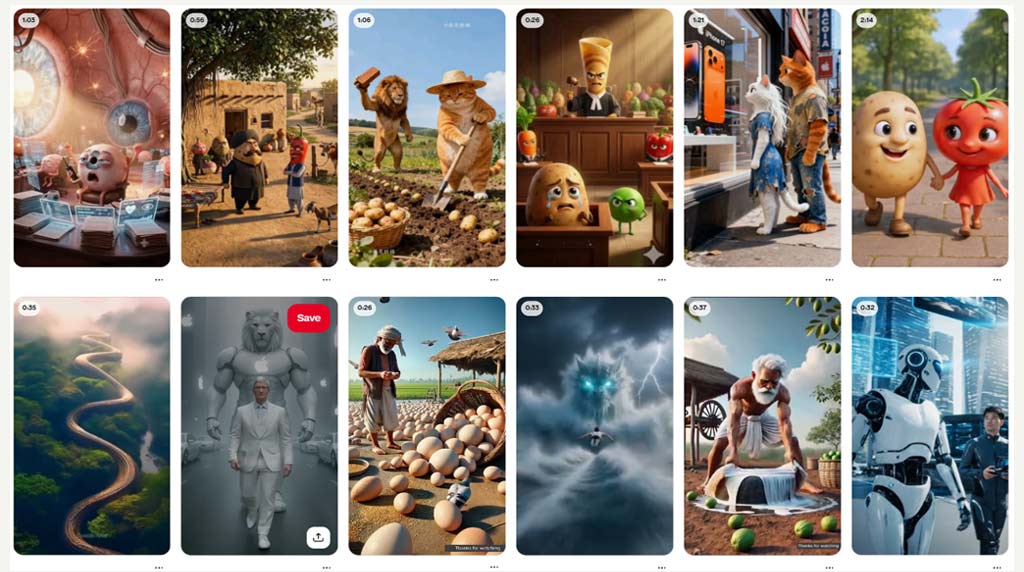
27 Ready-to-Use Video Prompts
Copy and paste these highly engineered prompts into your favorite AI video tool. Simply replace the bracketed text with your specific subject.
Crafting the Perfect 30-Second Sequence
AI video generators like Sora, Luma, and Runway rely heavily on precise cinematography terms. By specifying lens types, aspect ratios, and exact camera movements, you bypass the generic, uncanny AI look and achieve commercial-grade footage ready for social media hooks.
"I run a digital marketing agency and we constantly need B-roll for YouTube Shorts and TikTok. Using the specific 9:16 aspect ratio and 85mm lens prompts from this tool, our Luma and Runway generations went from looking like messy AI artifacts to actual high-end commercial footage. It saves us hours of prompt engineering."


How to Write Prompts for 30-Second AI Videos
The landscape of digital content is shifting rapidly. With the release of advanced AI video generators like OpenAI's Sora, Runway Gen-3, Luma Dream Machine, and Kling AI, creators can now generate highly realistic 30-second video clips from simple text. However, generating a video that is actually usable for a commercial, a YouTube Short, or a TikTok hook requires far more than just typing "a dog running."
To get the best results out of these platforms, you need to think like a cinematographer. Here is how to structure your AI video prompts for maximum impact.
1. Specify Your Lens and Depth of Field
AI models are trained on billions of real photographs and movies. If you want a cinematic portrait, you must ask for it using photography terms. Using prompts that include "85mm lens composition" and "shallow depth of field" forces the AI to blur the background (bokeh) and focus intensely on your subject, instantly elevating the production value.
2. Control the Aspect Ratio and Framing
"Before I realized you had to explicitly state the aspect ratio, all my AI generations were square. For TikTok and Reels, you must include '9:16' or vertical parameters to get edge-to-edge mobile perfection." — Social Media Manager
Depending on the platform you are using, you must guide the framing. If you are generating for a cinematic trailer, append your prompt with 16:9. If you are building a viral YouTube Short, use 9:16 aspect ratios. This ensures the AI doesn't crop your subject awkwardly.
3. AI Video Platform Differences
| Platform | Core Strength | Best Prompting Strategy |
|---|---|---|
| Runway Gen-3 | Incredible textural realism and lighting. | Focus heavily on lighting terms ("volumetric fog", "neon"). |
| Luma Dream Machine | Smooth, sweeping camera movements. | Detail the camera path ("FPV drone flythrough", "slow pan"). |
| Pika Labs | Stylized animation (3D, anime) and lip-sync. | Use stylistic keywords ("3D isometric", "Studio Ghibli style"). |
| OpenAI Sora | Physics, consistency, and 60-second continuity. | Provide highly detailed, narrative, multi-action paragraphs. |
4. Direct the Camera Movement
If you don't give the AI camera instructions, it will usually default to a slow, generic zoom. Take control by explicitly stating the motion. Want an energetic opening hook? Use "Fast drone fly-through." Want a dramatic reveal? Use "Locked-off static camera, slow-motion subject movement." Want a surreal artistic vibe? Prompt for a "cinematic double exposure" transition.
5. Establish the Vibe with Lighting
Lighting is the easiest way to dictate the emotional tone of your 30-second clip. "Golden hour lighting, sun flares" will give you a warm, nostalgic commercial feel. "Neon Cyberpunk, high contrast cyan and magenta" will give you an edgy, futuristic music video look. Combine lighting, lens choice, aspect ratio, and camera motion, and you will master AI video generation.